Dobrodošli
Službene stranice BK Ciklus, Zagreb
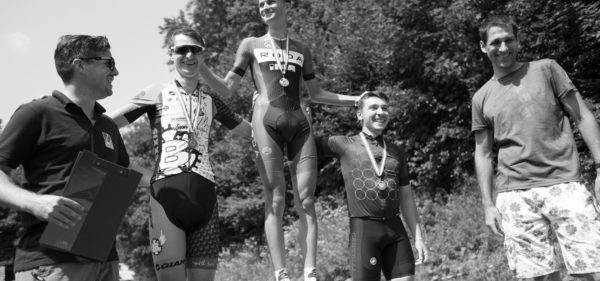
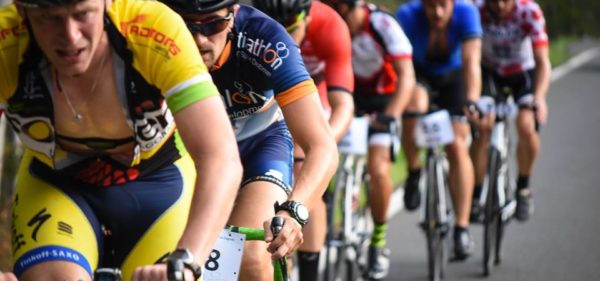
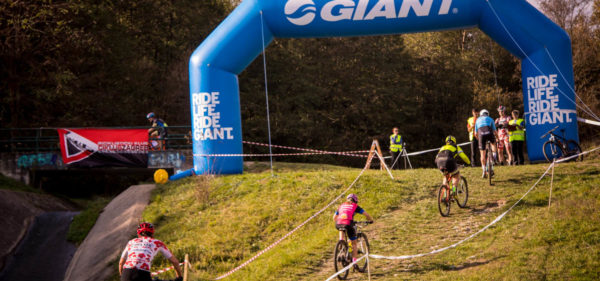

1. travnja vožena je biciklistička utrka sa ciljem na Oltaru Domovine u dužini od cca 3.5 km. Utrku karakterizira teški uspon kroz cijelu dužinu trase. Prije natjecateljskog dijela programa vozilo se u zatvorenoj vožnji ulicama grada 30-ak kilometara.
Nastupili smo u sastavu Ortynski, Lypolt, Fišter, Juretić, Vlašić.
Pošto nas je većina prirodni brdaši nije bilo problema ostvariti uspjeh.


i tako je završila i ova etapna borba na svima nam drago brdo,
četiri etape,
četiri različita puta,
četiri(ili više) planinarska doma pohođena
Rezultati ovdje http://www.velogruppeto.com/4-potoka/2017/
Fotografije svugdje https://www.facebook.com/groups/ciklus/?ref=bookmarks
Ciklus ide dalje, nove borbe se spremaju na Divljem podsljemenu i Krvariću, utorkom i četvrtkom oko 18h, detalji će biti na vrijeme
Raspis: https://www.dropbox.com/s/mqbrv5qf7lv3480/4_kolo_Bidrovec.pdf?dl=0
Start 26.03.2017 u 11:00h, Bandićeva kuća u ulici Gorščica – 100 metara prije početka makadama
Lokacija starta i prijava.

Prijave od 10:30 – okretište busa – Bidrovečka cesta- brana
Prijave se zatvaraju u 10:55.
PRIJAVE : https://goo.gl/forms/RTPJuNQooQGShIND2
Zajednička vožnja preko brane i potoka do starta koji je udaljen 682m (+-500m).
Poželjno je da predprijave odradite do petka kako bi mogli precizno odrediti broj potrebnih obroka.
Opis staze: Mjesto prijava je okretište autobusa na Bidrovečkoj cesti kod brane. Zajednička vožnja preko brane i potoka do starta.
Start kod Bandićeve kuće, 100 metara prije početka makadama.
Vozi se uzbrdo po makadamu do 1,1km, gdje je skretanje desno – polukružno od 358°na široki put koji nas vodi nakon 100metara do šumske staze. Oštro lijevo uzbrdo, oprez – prvih desetak metara je teško ili nemoguće voziti. Detalj dole.
Nalazite se na planinarskoj stazi 24 koja obiluje prekrasnim strmim i tehnički zahtjevnim usponima, pratite planinarske markacije. za pojedine uspone postoje različite varijante, ali sve vode na isto tako da se prepustite ženskoj intuiciji. Staza je kratka ali tehnički zahtjevna. Uživajte i razmišljajte o hrani na cilju.
Na 3,3km ponovno izlazite na makadam, skrenite desno i nastavite uzbrdo. Na velikom križanju na 3,7km skrećete lijevo pratite smjer Gorščice, te na 3,9km skrećete još jednom lijevo na uski planinarski put, tu nakon 150m preporučam prvi uski kanjon s desne strane, možda je blatan al’ pomučite se za kraj. Nakon toga sprint prema kapelici kod koje se nalazi cilj.
Osiguran je topli obrok sa desertom za sve koji su bili na barem jednom kolu poznatog internacionalnog tradicionalnog serijala „4 Potoka“. Za one koji će doći samo na posljednje kolo u želji da jedu, kotizacija je 30kn, za ostale 10kn. Kotizacija je dobrovoljna. Cugu si kupujete sami u Gorščici.
Dodjela medalja za pobjednike etapa u ženskoj i muškoj kategoriji te ukupno tri najbolja i najbolje u generalnom poretku 1. tradicionalne utrke „4 POTOKA“. Zabava do jutra! (nije u obavezi organizatora).
Generalno: Strelica znači pravi smjer, X znači krivi smjer. Ako nema oznake idete ravno.
Limit je 91 minuta. Poslije tog vremena ne čekamo više nikoga, smatramo de je osoba izgubljena u šumi po vlastitom izboru i na vlastitu odgovornost. Ne prihvaćamo nikakve prigovore na cilju ni startu. Hvala na razumijevanju.
GPX: https://www.dropbox.com/s/3ge189857va3roj/activity_1630201302.gpx?dl=0
TCX: https://www.dropbox.com/s/lknojfy06w7hhw9/activity_1630201302.tcx?dl=0
Sve je prekrasno!
Raspis : https://www.dropbox.com/s/ewgyx7lpg2va8w5/3_kolo_Markusevecki.pdf?dl=0
STAZA:
53,2% Makadam, 48,6% zemlja, 1,7% Asfalt (slobodna procjena autora)
Visinski profil staze:
Duljina 10,92 km
Elevation: 678 m- Elev Gain, 66 m- Elev Loss, 280 m–Min Elev , 893 m-Max Elev
Opis staze: Start kod zadnjeg rasvjetnog stupa prije rampe koja je nekada bila na početku markuševečkog makadama, a sada je taj dio pregazio asfalt. Nakon par metara grdog cestovnog uspona počinje makadam, nagutat ćete se prašine u kamenolomu, pazite da vam ne doleti neki friško odbačeni subotnji kondom i zalijepi vam se kod usta. Pratite makadam uzbrdo, zemlja, šoder, blato, pogledi na grad, bunkeri, nema skretanje do 3,5km, koji ćete prepoznati jer se nalazi nakon prvog vrlo kratkog spusta, tu skrećete lijevo na markiranu planinarsku stazu 20, skretanje je označeno crnom strelicom na bijelom papiru i bijelim oznakama na tlu. Tu ćete uživati u prekrasnom singltreku, sa strmim usponom koji je fizički dosta zahtjevan i dijeli djevojčice od žena, pratite putić, dolazite do Njivica na Bikčevičevoj stazi, MOLIM OPREZ, TU ĆETE VJEROJATNO SRESTI PLANINARE, MOLIM BUDITE OPREZNI I POŠTUJTE IH JER SE NE NALAZIMO NA BICIKLISTIČKOJ NEGO PLANINARSKOJ STAZI, iza drvene nadstrešnice tj. Njivica nastavite uskim singltrekom koji je markiran kao staza broj 20 (Hunjka), uvala, lišće, pratite strelice i u jednom trenutku ćete ispasti na makadam. Vozite uzbrdo, monotonija, staza u jednom trenutku ima spust, pazite da vam ne dođe u susret Lada Njiva ili nešto slično. Ima dva moguća skretanja na makadamu, na oba idete lijevo, tj pratite put za Hunjku. Na ovo, makadamu se rade Zatvaranja sezone već godinama i nitko se nikada nije izgubio, tako da ćete biti jedinstveni ako to uspijte.
Otprilike 2 km prije kraja makadama, silazimo sa njega na planinarsku markiranu stazu za Hunjku. Lijevo je makadam za Hunjku, desno put koji vas vodi na hrbat, a vi idete srednjim markiranim i strelicom označenim putem.
Slijedi grdi uspon koji odvaja dječake od muškaraca, izdržite, nakon toga imamo banihopin sekciju sa jednim drvom i atipičnu borovu šumu za Sljeme, ovdje tko neće uživati nek’ se ode liječiti. Pazite ima granja i svaljenog drveća, očistili smo koliko smo mogli ali zaboravili smo usisati. Prekrasna šumska staza. Pazite na planinare. Poštujte ih.
Cilj sto metara prije rampe na najvišoj točci staze. Najbliži dom je Hunjka u kojem možete oprati ekstremitete, no pazite gazda tog doma ne voli da se perete a ne trošite pare, ili odite u starački dom u kojem možete kaj ja znam kaj, prepustite se mašti.
Generalno: Strelica znači pravi smjer, X znači krivi smjer. Ako nema oznake idete ravno.
Sa ova dva skretanja smo stazu učinili zanimljivom i drugačijom od Zatvaranja sezone, vjerujte isplati ih se odvoziti. Ako odete ravno na makadamu – to ide na vašu štetu.
Limit je 121 minutu, poslije tog vremena ne čekamo više nikoga i smatramo de je osoba izgubljena u šumi po vlastitom izboru i na vlastitu odgovornost.
Ne prihvaćamo nikakve prigovore na cilju ni startu. Jednostavnije je da ne dođete, molim vas.
GPX: https://www.dropbox.com/s/7k39z9k1jj36sn5/activity_1624384780.gpx?dl=0
TCX: https://www.dropbox.com/s/oefw1j0hzc0sgbz/activity_1624384780.tcx?dl=0
Sve je prekrasno!

Idemo dalje, sljedeće kolo: Pustodol. Prijave ovdje: link.
RASPIS : https://www.dropbox.com/s/2ecya1jsoon39m8/2_kolo_Pustodol.pdf?dl=0
Opis staze:
Start 100m pred početak makadama na Pustodolu, pratite makadam uzbrdo, staza je označena artističkim ciganskim strelicama i sprejom na podu, na svim križanjima na kojima nema oznake idete ravno. Strelica znači pravi smjer, X znači krivi smjer, ako nema oznaka netko ih je maknuo, uzmite gps, u cilju se ne uvažavaju razlozi za gubljenje na stazi. Ako mislite poslije srat nemojte ni dolaziti. Ključna skretanja su na prvom velikom križanju polukružno desno uzbrdo, peglanje uzbrdo, pratite logiku, teška dionica, u jednom trenutku skrećete desno gdje je oznaka, pratite logiku, onda lijevo iliti ravno ispred Tustog po stazi 55 sa zapadne strane vrha, izlaz kod stupa žičare – lijevo, prelazak preko širokog makadama ravno, pratite široki put i idete stalno ravno, makadam se pretvara u singltrek, prelazite potok, malo krivudate al ste stano na putu i u jednom trenutku imate nagli nevozljivi uspon od nekih deset metara. POZOR! Tko ima dokaz da je to odvozio u komadu, postaje direktni pobjednik lige. Malo tu prtljate oko potoka, nemojte pasti u njega, pa izlazite na široki makadam – desno, penjete se prema Brestovcu, ne krećete na desni singltrek nego pratite široki makadamski put, na križanju idete desno prema Brestovcu, prolazite sa južne strane Brestovca i 56 metara nakon Brestovaca na križanju idete lijevo gore, na sigltrek, koji je zbog propusnosti odredio maksimalni limit od 1200 sudionika. Nakon sigltreka izlazite na široki put, skrećete lijevo i sa krvlju u ustima šprintate samo ravno ne obazirući se na nikoga, ravan ravno ravno, pred cilj skrećete lagano desno uzbrdo prema Sedlu. Cilj sto metara prije izlaska na asfalt. Najbliži dom je Grafičar u kojem možete oprati ekstremitete. Upozorenje – iako je ova staza po brojkama lakša od Mikulića, upozoravam da su usponi strmi i tehnički zahtjevni, svatko tko ovome nije dorastao boje da ostane doma, plakanje na cilju ne uvažavamo. Tko se izgubi napravio je to na svoju štetu. Utrka je self support, nema pomoći na stazi, sami se naučite snalaziti u prirodi i popraviti bicikl. Limit je 123minute. Tko ne može odvoziti 8km za 123 minute nek’ ode doma gledat Stankovića, moja pokojna baba bi to ishodala bez kuka za to vrijeme.
1. kolo (Mikulići):
Nekoliko stotina ljudi se ispričalo, a i vrijeme nije bilo baš bajno, no svejedno je posjećenost bila odlična!
Rezultati: http://www.velogruppeto.com/4-potoka/2017/stage-1
Fotografije: link

Tradicionalna četvero-Ciklusna biciklijada „4 POTOKA“
1. MIKULIĆ (Početak makadama Krvarić –kustošijanski m-Risnjak-Grafičar) 05.03.2017 u 11:00h, (11km, 690nmv)https://www.bikemap.net/en/route/3885815-4-potoka-mikulic/
2. PUSTODOL (Pustodol-Brestovac-Vrh) 12.03.2017 u 11:00h, (8km, 740nmv)https://www.bikemap.net/en/route/3885775-4-potoka-pustodol/
3. MARKUŠEVEČKI (Kamenolom-Markuševečki makadam-Mrzljak-Hunjka) 19.03.2017 u 11:00h, (11km, 550nmv)https://www.bikemap.net/en/route/3885715-4-…a-markusevecki/
4. BIDROVEC (Brana okretište busa-Bandićeva kuća- makadam-Gorščica) 26.03.2017 u 11:00h, (6km, 440nmv)https://www.bikemap.net/en/route/3885750-4-potoka-bidrovec/
Potoke treba uzbrdo pregaziti od zapada prema istoku.
 Staza se vozi bez zaustavljanja i bez kontrolnih točaka, samo uzbrdo koliko vas noge nose a srce i pluća drže. Koristi se najmoderniji kodirani sustav mjerenja prilikom ulaska u cilj. Osobi koja mjeri vrijeme prilikom ulaska u cilj glasnim i jasnim uzvikom morate reći kodno ime. Preporučljivo je da kodno ime bude prezime i ime vozača. Nije uvjet.
 Osoba koja ima ukupno nakraće vrijeme na sve četiri vožnje je slavodobitnik koji će dobiti hvalospjeve i divljenje ostalih. Isto vrijedi i za slavodobitnika svake etape. Njihova kodna imena će se objaviti na „ svjetskoj mreži“.
 Nema materijalnih nagrada, osim ako ih ne nabavimo. Prijevoza stvari nema, osim ako ga ne organiziramo.
 Prijave preko online obrasca kojeg možete naći na stranici http://arhiva.bk-ciklus.hr/
 Ukupni poredak će se voditi u međunarodno priznatom računalnom programu „Excel“.
 U zoni završetka svake vožnje smo smjestili planinarski dom u kojem se možete okrijepiti (ako imate novaca), presvući se te obaviti malu i veliku nuždu, oprati lice ili neki drugi ekstremitet.
 Dobrovoljni prilozi od 10 kn skupljaju se na svakom potoku za završnu zabavu na Gorščici, koja će se dogoditi nakon zadnjeg potoka 26.03.2017. Dobrovoljni prilog nije obavezan jer je dobrovoljan.
 Kaciga i bicikl obavezni, ako nemate kacigu i/ili bicikl, možete trčati ili hodati po predviđenoj ruti.
 Vožnje su osmišljene u cilju poticanja zdravog života, aktivnosti i zajedničkih vožnji i druženja kako rekreativaca tako i ozbiljnijih biciklista.
 Druženje i vožnje ne prepoznaju spolne, vjerske, nacionalne niti seksualne razlike.
 Karte staza u nastavku, gornje linkove možete kopirati u „Preglednik“ i dobiti više detalja.
 Dodatne informacije usmenom predajom.
 Sve je prekrasno!